
What AI search optimisation for schools means
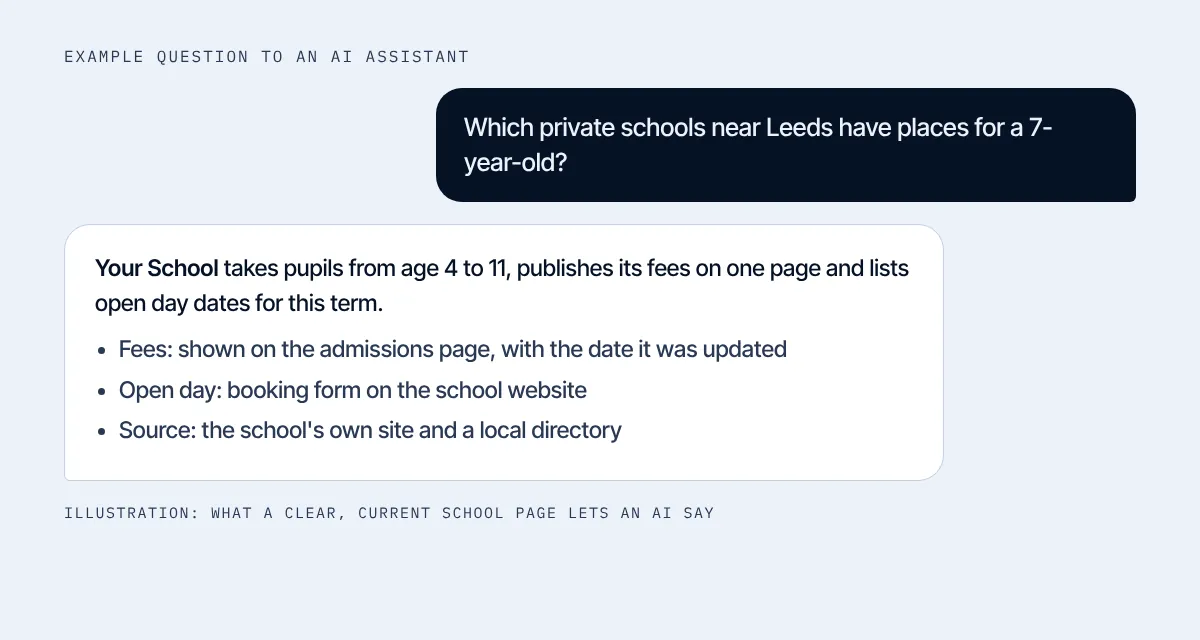
A parent asks ChatGPT, "Which private schools near Leeds have places for a 7-year-old?" The assistant reads pages and sources it can reach, then writes an answer. Your job is to make sure your school is in that answer, with the right facts.
Google says AI Overviews and AI Mode have no extra requirements: your page must be indexed and able to show a snippet on Google Search Central. So this is SEO with a few extra checks. For the basics, use our school SEO checklist.
Step 1: Ask the AI about your school
AI search optimisation for schools starts with a test. Ask each question below in ChatGPT and in Google, and save the answers with the date.
| Ask | Check |
|---|---|
| Tell me about [school name] in [town]. | Are the ages, address, fees and open day dates right? |
| Which private schools near [town] have places for a 7-year-old? | Is your school named? Who else is? |
| What are the fees at [school name]? | Does it give the current fee, or an old one? |
| Is [school name] a good school? | Which sources does it use? Are they current? |
| When is the next open day at [school name]? | Is the date correct? |
Every wrong answer points to a page you need to fix.
Step 2: Let the right bots in
OpenAI uses three bots. OAI-SearchBot surfaces sites in ChatGPT search. GPTBot crawls content that may train its models. ChatGPT-User visits a page when a person asks ChatGPT to in OpenAI's bot guide. If you block OAI-SearchBot, your site will not appear in ChatGPT search answers.
Open yourschool.org/robots.txt. To allow search, it needs a rule like this:
User-agent: OAI-SearchBot
Allow: /
Blocking GPTBot is your decision. It is about training, not search. Changes can take about a day to work.
Step 3: Put your facts on plain pages
Assistants quote text they can read. Put your key facts in words on the page, not only in a PDF or a picture:
- ages and year groups
- current fees, with the date you last checked them
- open day dates and how to book
- how to apply, step by step
- a link to your latest inspection report and results
Update these pages every term. An old fee on one page and a new fee on another confuses people and machines.
Step 4: Answer the questions parents ask
Parents ask AI the same questions they ask at the gate. Write short answers to them on your admissions page: Can my child start mid-year? What is the uniform? Is there a bus? What happens at the open day?
Use a clear heading for each question. If you add FAQ markup, keep it identical to the text on the page, as Google asks.
Step 5: Make your name unmistakable
Many schools share names or sit near schools with similar ones. Use your full name, town and address the same way everywhere: your site, your Google Business Profile and directories.
Add School markup so search engines can read your name, address, phone number and web address from Schema.org. Use your real school name in your Google profile, as Google's guidelines require.
Step 6: Get named by sites that parents and AI trust
Assistants lean on more than your own site. Look at which sources they quote in your step 1 answers. Make sure you are listed and correct on education directories, local news sites, association pages and your council's school list.
Our link building work for schools focuses on these places.
Step 7: Check every month
Repeat the five prompts monthly. This is the habit that keeps AI search optimisation for schools working. Keep a simple log: date, assistant, answer, what to fix. Add your Search Console queries and your enquiries beside it. Over a term you will see what moves.
Also see how this fits with the rest of your marketing for schools.
Fix the wrong answers
When the AI gets a fact wrong, find where it could have come from and fix that place. Use this table:
| What is wrong | Where to look | Fix |
|---|---|---|
| Old fee or date | Your fees page, old PDFs, directories | Update the page, remove or replace the old PDF, correct each directory |
| Wrong age range | Your home page, admissions page, directories | State the ages in plain text on both pages |
| School not named | Your robots.txt, your page titles, local lists | Allow OAI-SearchBot, add town and school type to titles, get listed locally |
| Mixed up with another school | Name, town and address across sites | Use the same full name and address everywhere, add School markup |
| Bad review quoted | Your Google reviews | Reply calmly, fix the cause, ask other families for honest reviews |
A note for colleges and universities
Applicants ask AI about courses, entry grades and fees. Give every course its own page with the course name, level, length, entry requirements, fees and start dates in text. Keep those facts the same on the course page, the prospectus page and any listing. Our SEO for higher education page covers this for UK universities.
Check how AI describes nearby schools
AI search optimisation for schools is also about the gap with others. Run your prompts for the two or three schools parents compare you with. Note what the assistant says about them that it does not say about you: a fee range, a bus route, an exam result, a club. Each gap is a fact missing from your site. You do not need to copy them. You need to make sure the parent can find your answer too.
Do not chase every detail. Pick the five facts that parents ask about most, and make those perfect first.
A simple llms.txt, if you want one
An llms.txt file is a short plain-text summary of your site. Google says you do not need one to appear in its AI features, and I would not expect it to move your results. It is cheap to make and it makes you write your facts down in one place, which is useful on its own. A basic version holds your school name, a one-line description and links to your admissions, fees, open day and contact pages.
How long AI search optimisation for schools takes
OpenAI says a robots.txt change can take about 24 hours to work. Google says indexing usually takes about a day, and sometimes longer. Wrong answers in an assistant can last until it reads your fixed page again, so run your five prompts again two or three weeks after each fix, and write down what changed.
Who should do this at your school
AI search optimisation for schools needs one owner. The admissions lead is a good choice, because they already hear every parent question. Give them 30 minutes a month for the five prompts and a short list of pages they can edit. Anything technical, like robots.txt or markup, goes to your web team or to us. Tell them exactly what you need: "allow OAI-SearchBot" is a clear request. "Do AI stuff" is not.
What a parent question really needs
Think about the exact words a parent uses. "Is there before-school care?" "Do you take children mid-year?" "Is there a bus from the town?" Each one is a short question with a short answer. If your site answers it in one clear sentence, an assistant can repeat it. If the answer is buried in a 40-page prospectus, it cannot.
Write the answer first, then the detail. Put it under a heading that repeats the question. Add the date you last checked it.
Keep it honest
Good AI search optimisation for schools never writes facts you cannot back up to look better to an assistant. If a class has 24 pupils, do not say 18. Parents check, and Google asks for content that is accurate and made to help people in its helpful content guidance. Show who wrote a page and when it was last checked. It helps readers first, and machines second.
If you use AI to help write your pages, read every line before it goes live. Google says to explain how content was made where readers would wonder, so say so if it matters.
What does not work in AI search optimisation for schools
Google says you do not need new machine-readable files, AI text files or special markup to appear in AI features. I still publish an llms.txt on this site, because it costs nothing, but I do not expect it to lift you. Correct pages matter more.
Four mistakes to avoid:
- blocking every bot in robots.txt and then asking why AI never names you
- keeping fees only in a PDF from two years ago
- using a different school name on each directory
- asking AI once and never again
If you want a second pair of eyes, our AI search optimization for schools service starts with a free check of what ChatGPT and Google say about you.