
What higher education digital marketing covers
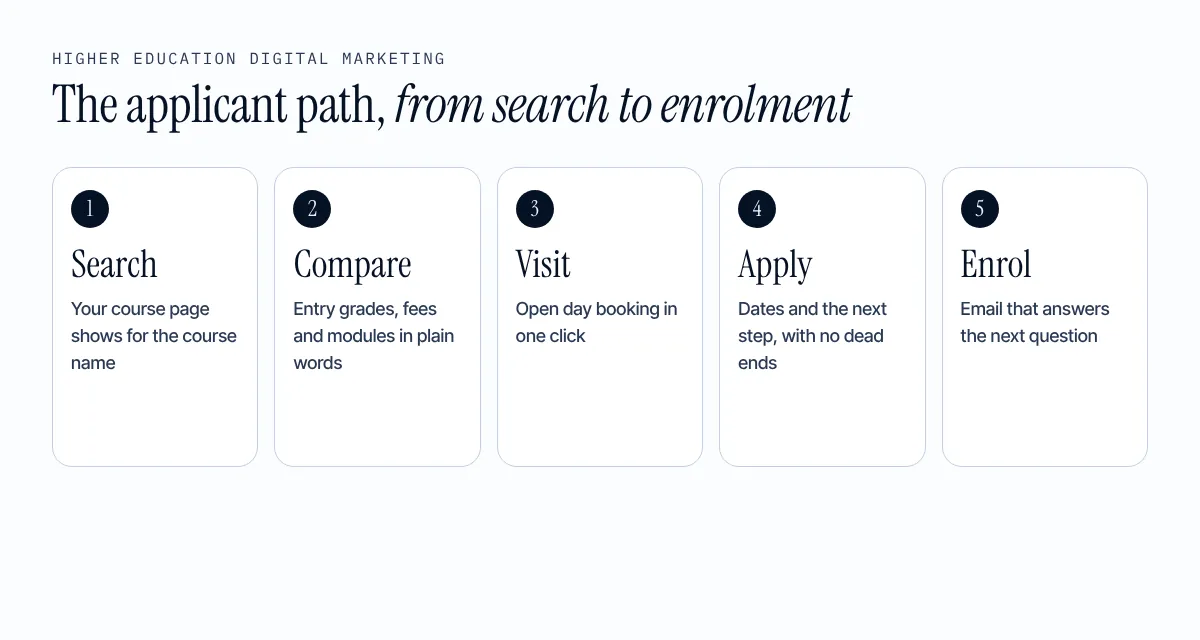
Higher education digital marketing covers every online step between “I could study this” and “I have enrolled”. An applicant searches, compares courses, reads reviews, watches a video, books an open day, applies and checks their email for updates. A parent or teacher often joins in. Each step is a place to win or lose them.
Most teams spend their energy on the prospectus and the prize-winning campaign. The quieter steps decide more: being found for the course name, showing the facts clearly and answering the questions an applicant types into Google.
Know who you are talking to
You write to the applicant. The decision also involves parents, teachers and advisers, and each of them wants something different.
| Who | What they check first | Where to meet them |
|---|---|---|
| Applicant | Course content, entry grades, fees, student life, jobs after graduation | Course pages, open day pages, short video, email |
| Parent or carer | Cost, safety, accommodation, how far from home | Fees page, accommodation page, parent guide |
| Teacher or adviser | Entry requirements, deadlines, how to refer a student | A clear page with dates and a named contact |
Pick the course areas you most need to grow and write for those people first. A page that tries to speak to everyone usually helps nobody.
Course pages carry the decision
In higher education digital marketing, a course page is the most important page you own. It is where the applicant compares you with the next university. Give each course its own page with:
- the course name in the title and the main heading, written the way applicants search
- entry requirements, fees and how long the course takes
- what students study, with module names and how they are assessed
- where graduates work or study next, with real examples you can back up
- dates for open days and applications, kept current
- one clear next step: book a visit, ask a question or apply
Add the facts in a form Google can read. Google documents how to mark up a course with Course structured data, and schema.org has a type for the institution itself. We cover the technical side in our technical SEO page.
Follow the CMA rules when you market courses
The Competition and Markets Authority (CMA) says students have consumer rights, and that universities and other providers who do not meet their obligations to undergraduates can be in breach of consumer protection law in its advice for providers. Its short guide says you must give students the information they need to make an informed decision before they apply, including course content and structure in the short guide.
For marketing, that gives you a rule you can apply today: one approved source of course facts, used everywhere. If the website, the prospectus and the course page say three different things, fix that before you spend on ads.
Be found: SEO for courses, open days and campus
Applicants search in plain words: “BSc nursing Leeds”, “open day Manchester”, “best university for graphic design”. SEO is how your pages match those searches. It is the base of higher education digital marketing because it brings applicants every year without paying per click.
Start with the basics:
- Give every course, open day and accommodation page its own clear title and heading.
- Make sure Google can index the pages. Check them in Search Console.
- Fix speed on mobile. A good page shows its main content in 2.5 seconds or less, reacts in 200 milliseconds or less and shifts by 0.1 or less on web.dev.
- Link from your high-traffic pages to your course pages, so applicants and Google can reach them.
- Write pages that help the reader first. Google asks for helpful, people-first content in its guidance.
This is the work behind our SEO for higher education service, and it is the part most websites do worst.
Show up in AI answers
Applicants also ask ChatGPT and Google’s AI which university to choose. Google says there are no extra requirements to appear in AI features in Search: your page must be indexed and able to show a snippet on Search Central. OpenAI says allowing its OAI-SearchBot helps your site appear in ChatGPT search results in its bot guide.
So the work is the same as good SEO: clear pages and correct facts. Once a month, ask an AI assistant five questions about your courses and fix what it gets wrong. The steps are in our guide to AI search optimisation. It was written for schools, and the method is the same for universities.
Be ready for Clearing before July
Clearing is a big moment for recruitment. Prospects, the graduate careers service from Jisc, says Clearing 2026 opened on 2 July and ran to 19 October, and that over 68,000 students secured their places through Clearing in 2024 on Prospects.
Treat Clearing as a higher education digital marketing project that starts in spring:
- Build a Clearing page that you can update daily, with the courses that still have places.
- Show a phone number, opening times and an enquiry form at the top of the page.
- Write the Google Ads and email copy before results day, not on it.
- Make sure the page and the courses on it match the UCAS listings.
- Staff the phones and the inbox for the busiest days, and reply fast.
What each channel does in higher education digital marketing
| Channel | Job it does best | Watch out for |
|---|---|---|
| SEO | Brings applicants who already want the course | Takes months to build, then keeps paying back |
| Paid search | Fills a short window, such as Clearing or an open day | Stops the day you stop paying |
| Keeps enquirers warm until they apply | Needs consent and a short, useful message | |
| Social and video | Shows student life and the people | Needs real students and permission for every face |
| Reviews and student voices | Builds trust | Never write them for the students |
Open days and online visits
Treat the open day page like a product page. Put the date, the time and a booking form on one page. Send a reminder the day before and a thank-you the day after. Ask one question on the form: “How did you hear about us?” That one answer tells you which channel to keep. Our marketing for schools guide has a full open day checklist.
Record a short campus walk and a talk from a lecturer for each main subject. Applicants who cannot travel can still see the course, and the video gives you a page worth ranking.
Higher education digital marketing mistakes that cost applications
- Old facts. A fee or entry grade from last year loses trust and can break consumer law.
- One page for everything. A single “courses” page cannot rank for fifty course names.
- PDF only. Course details locked in a PDF are slow to read on a phone and hard to rank.
- No way to ask a question. Applicants want a person, even by chat or a call-back form.
- No numbers. Without enquiries, bookings and applications by source, you cannot tell what to keep.
What to measure
| Number | Where to find it | What it tells you |
|---|---|---|
| Searches that bring visitors | Google Search Console | Which courses people find you for |
| Enquiries and open day bookings | Your forms and CRM | Which pages turn visitors into leads |
| Applications by source | Your CRM and the form question | Which channel to fund |
| Page speed and mobile use | Search Console, Core Web Vitals report | Where applicants give up |
Judge your higher education digital marketing by intake cycle, not by week. Google says it usually indexes a changed page in about a day, sometimes longer, and moving up the results takes more time than that.
A 90-day plan for higher education digital marketing
| Days | What to do | Done when |
|---|---|---|
| 1 to 14 | List your 10 most important courses. Search for each one and note who ranks. Check each course page against the list above. | You have a sheet of gaps by course. |
| 15 to 45 | Rewrite the course pages with the gaps. Set one approved source of course facts. Check mobile speed. | The top 10 course pages are complete and match admissions. |
| 46 to 75 | Build the Clearing page and the open day page. Write the ads and email copy. | Both pages are live and booked into the calendar. |
| 76 to 90 | Ask AI assistants five questions about your courses. Report enquiries and applications by source. | You have a fix list for AI answers and your first source report. |
If you want help, our services start at €500 a month, with a free check of your website first.